





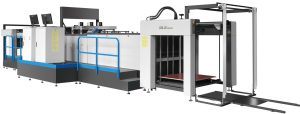
The corrugated box inkjet printer prints quickly and simply as the sheet passes under the print heads. Ink from the nozzles bonds directly to the board. It is suitable not only for corrugated and paper boxes but also for most other printable surfaces. Details are given below:

Technical specifications
| Brand | Hanway |
| Model | HighJet 2500A |
| Substrate | Corrugated board, white board, thickness 1.5 – 15 mm |
| Ink | Water-based ink |
| Print head | Kyocera (Japan) 2-channel industrial print heads |
| Maximum print speed | 562 m2/h |
| Maximum print size | 2500 x 4000 mm |
| Feeding | Automatic, by conveyor |
| Print files | PDF, JPG, TIF, etc. |
| Power supply | 3P; 380V; 50Hz |
| Power | 10 kW |
| Machine dimensions | 4800 (W) x 3800 (L) x 1900 (H) mm |
| Weight | 3500 kg |
What can the inkjet printer print on corrugated boxes?
The machine cannot print absolutely everything, but with the Hanway inkjet printer all the information your product needs can be printed:
Date, code, phone number, address and batch number
Expiry date and production date
Barcodes and QR codes
Brand logos and images
Direct printing from PDF, JPEG, TIFF, AI, CDR and other files
Large print size 2500 mm x 4000 mm
Speed 562 m²/hour

Reference video
Operating conditions and technical notes
For the inkjet printer to run stably, give sharp print quality and a long service life, the following conditions should be observed:
– Board type and print surface
Most suitable board: brown kraft, white board, duplex board and laminated board.
Board thickness: the machine can print on board from 2 mm to 35 mm (depending on model).
Board surface: the flatter and smoother the surface, the sharper the print. For very absorbent surfaces, a primer coat may be needed to ensure ink adhesion.
– Ink
Use water-based or UV ink as recommended by the manufacturer.
Water-based ink: low cost, suitable for production dates, barcodes and text.
UV ink: good adhesion, fast drying and clear colour, suitable for images and colour logos.
Note: non-standard ink can easily clog the print heads and damage the ink supply system.
– Operating environment
Ideal temperature: 18–28°C.
Humidity: 40–70%. If too dry, ink evaporates quickly and print heads clog; if too humid, ink dries slowly and smears easily.
Do not install the machine where there is heavy dust, vibration or direct sunlight.
– Maintenance and cleaning
Clean the print heads regularly with the specified cleaning fluid to prevent clogging.
Run a purge/test print after long idle periods to protect the print heads.
Check the conveyor rollers, motors and sensors weekly to ensure stable operation.
– Safety and training
Operators should be trained in the control software, ink changing and handling of common faults.
Fit a UPS / voltage stabiliser to protect the machine against power cuts and unstable voltage.





Reviews
There are no reviews yet.